
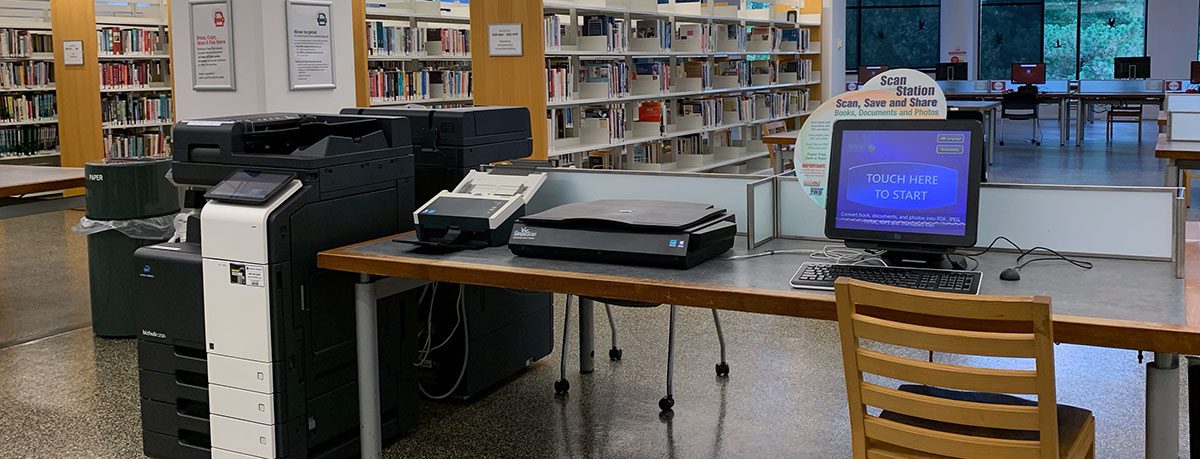
A self-service station is available at all three library locations—the Main Library’s station is located by public computers on the third floor. Have a question? Ask us now or at any service desk.
How it works: Services are free & have daily limits
To keep services free for everyone, daily limits are set to:
- Anyone with a library card registered with the Oak Park Public Library: 25 pages
- Everyone else: 10 pages (a one-time guest pass can be issued with a valid ID at any service desk)
More to note:
- There is no option to pay for additional pages.
- Jobs exceeding the printing limit will not be printed (print jobs must be 25 pages or fewer, regardless of whether they are set to print single- or double-sided).
From inside the library using a library public computer
Anyone with a library card registered with the Oak Park Public Library can use a library computer and print from inside the Main Library or Maze and Dole branches. Learn more about using computers at the library.
From anywhere using a printing portal & your own device
Anyone with a library card registered with the Oak Park Public Library can submit a print request from their own device.
- Visit the printing portal: https://oppl.eprintitsaas.com/public/upload
- Enter your library card number and PIN when prompted.
- Confirm the library location where you will pick up your print job.
- To release your print job, enter your library card number at the print release station.
Retrieve your remote print job the same day
- Visit the library where you sent your print job on the same day, during that building’s open hours.
- Sign in to the station with the library card number or guest pass you used to submit your print job.
To note:
- If you experience any problems at the print station in the library, especially if you are printing at the Oak Park Public Library for the first time, please ask a library staff member for help.
- If you don’t retrieve your print job on the same day, it will be cleared from the system overnight. You will need to resubmit your print job on a day when you can pick it up.
Copy
- Copy equipment is available on the Main Library’s third floor and at the Maze and Dole branches.
Scan
- Scan equipment is available on the Main Library’s third floor and at the Maze and Dole branches.
- Send your scans via email or save to your USB drive or to OneDrive, Google Drive, or Dropbox.
Fax
- Local and long-distance faxing is available using a copy-to-fax service; this is limited to 10 pages per session.
- FedEx Office offers international faxing.
Shred
- The library does not currently offer shredding services.
- For large shredding jobs: Email the Village of Oak Park at publicworks@oak-park.us to ask about their paper-shredding events, typically hosted in the spring and fall.